Create a Responsive Website with Closer: AI-Powered, Mobile-First, and Online
More than 65% of global web traffic now comes from mobile devices. Google ranks mobile-optimized sites higher through its mobile-first indexing approach. Visitors leave within seconds if a page doesn't load properly on their phones.
The shift to mobile isn't coming ― it already happened. Search engines now primarily evaluate your site's mobile version when determining rankings. A desktop-only approach means lower visibility in search results, regardless of how polished your design looks on a large screen.
Conversion rates tell the same story. Mobile users who encounter navigation issues, slow loading, or awkward layouts rarely complete purchases or fill out contact forms. They simply move on to a competitor whose site works better on their device.
Building a site that adapts fluidly to smartphones, tablets, and desktops traditionally required technical expertise, time, and budget. That barrier has kept many businesses from achieving truly mobile-optimized web presence.
Closer AI website builder handles responsive design automatically, letting you launch a professional site that looks polished on every device without touching a line of code.
Jump to a Section
- What is responsive web design
- Structure of a mobile landing page: what differs from desktop
- Meet Closer: the online builder that handles responsiveness for you
- Key features that make Closer mobile-optimized by default
- Use cases: landing pages, portfolios, service businesses
- How responsive design boosts SEO and conversions
- Try Closer: launch your responsive website in minutes
- Launch your mobile-optimized site today
- FAQ: mobile optimization, templates, and page speed
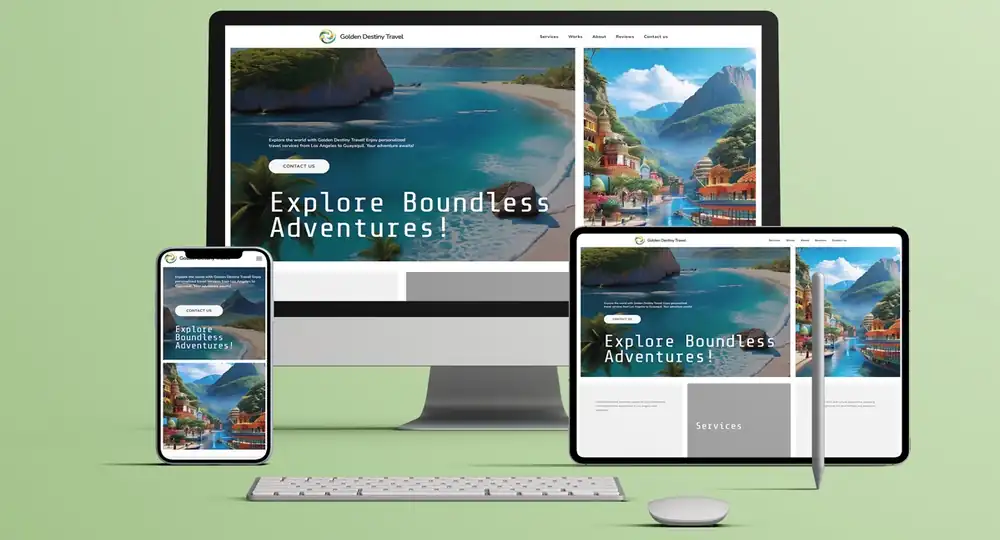
What is responsive web design
A responsive website adjusts its layout, images, text, and navigation based on the screen viewing it. Content reorganizes itself fluidly. Buttons stay tappable. Text remains readable. Navigation menus collapse into mobile-friendly formats.
Picture a business homepage on desktop: three columns showcase services side by side, with a horizontal navigation menu across the top and a large hero image. That same page on a smartphone transforms into a single-column layout. The navigation becomes a hamburger menu. The hero image scales down while maintaining impact. Service descriptions stack vertically for easy scrolling.
Or consider an e-commerce product grid. Desktop users see four products per row with detailed descriptions visible. Tablet users see two per row. Mobile users scroll through one product at a time, with images optimized for smaller screens but still zoomable for detail.
Contact forms demonstrate responsive principles clearly. Desktop versions might place name and email fields side by side. Mobile versions stack these fields vertically, making them easier to tap and fill with a thumb. Button sizes increase for touch-friendly interaction.
This adaptability happens through flexible grids, scalable images, and CSS media queries. The technical details matter less than the outcome: visitors get an optimal experience regardless of how they access your site.
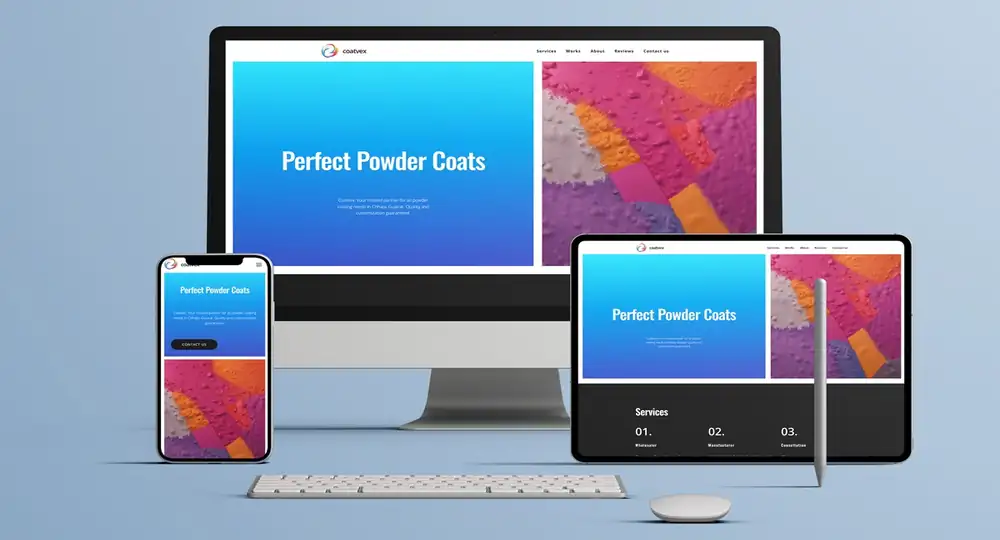
Structure of a mobile landing page: what differs from desktop
Mobile landing pages strip away desktop luxuries in favor of directness. Desktop versions spread information horizontally with sidebars and multi-column layouts. Mobile demands vertical storytelling where each section flows into the next without distraction.
Hero sections compress to one punchy headline, a single supporting line, and one clear action button - all visible without scrolling. Desktop heroes might occupy 70% of screen height with elaborate graphics.
Call-to-action placement follows thumb-reach patterns. Mobile CTAs cluster in the lower third of the screen where thumbs naturally rest, or stick to the bottom as persistent bars. Button sizes increase to at least 44x44 pixels for easy tapping.
Image optimization becomes critical. A 2MB hero image loads acceptably on broadband but kills mobile experience on cellular networks. Mobile landing pages serve compressed, device-appropriate images to maintain visual impact without sacrificing speed.
Form fields transform from side-by-side arrangements to stacked single-column layouts. Navigation often disappears completely, removing exit paths that might derail conversion.
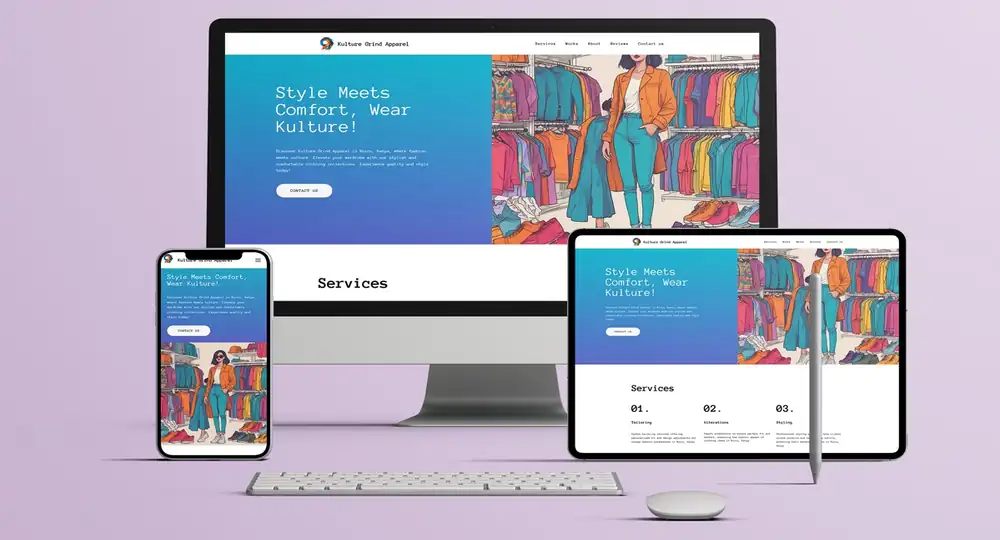
Meet Closer: the online builder that handles responsiveness for you
Traditional website development approaches create friction. Hiring developers costs thousands. Learning to code takes months. DIY platforms often produce clunky results on mobile devices. Online website builders solve this problem, but not all handle responsiveness equally. Some require manual adjustments for each screen size. Others offer limited mobile customization. Many sacrifice design quality for ease of use.
Closer takes a different approach. The responsive website builder generates sites optimized for all devices from the start, powered by AI that understands both design principles and mobile user behavior.
Here's how it works: you describe your business in a few sentences. The AI processes this information ― your industry, goals, target audience ― and generates a complete website. Design, content, structure, logo, and images appear simultaneously. Every element adapts automatically to different screen sizes.
Don't like the initial result? Regenerate the entire design or individual components. Change the color scheme, rewrite headlines, swap images ― each element can be refined independently, unlimited times.
The advantages stack up quickly:
- no technical knowledge required to achieve professional results;
- instant preview across device sizes shows exactly how your site appears to visitors;
- unlimited regeneration lets you refine design and content until it matches your vision;
- full editing control means you can adjust any element without breaking responsive functionality.
The platform offers web design without code capabilities through an intuitive visual editor. Drag elements, adjust colors, modify layouts ― all through controls that maintain mobile optimization automatically.
Key features that make Closer mobile-optimized by default
Closer approaches website creation with mobile users as the priority, not an afterthought. Several features work together to deliver responsive design automatically:
Smart AI architecture generates layouts that adapt fluidly across screen sizes. The system analyzes your topic, then creates appropriate structures for desktop and mobile viewing simultaneously.
A library of over 1,000 pre-designed blocks ensures every component works across devices. Add a pricing table, testimonial section, or contact form, and it scales appropriately without manual intervention. These blocks follow mobile-first website design principles, ensuring functionality on small screens first, then scaling up gracefully.
Realtime device preview lets you switch between desktop, tablet, and mobile views instantly. See how text reflows, images resize, and navigation transforms as you build. This eliminates guesswork and catches potential issues before publishing.
The canvas mode provides advanced customization for those who want pixel-perfect control. Adjust spacing, alignment, and responsive breakpoints while maintaining mobile functionality. The drag and drop responsive website interface makes complex adjustments accessible without coding knowledge.
Speed optimization keeps sites lightweight and fast-loading. Compressed images, clean code, and efficient asset delivery mean visitors don't wait, even on slower mobile connections. The platform automatically optimizes assets during the build process.
Full mobile responsiveness comes built into every site. You don't toggle it on or configure settings-it's the foundation of how Closer generates websites. This mobile-friendly website builder approach eliminates the technical barriers that typically complicate responsive design.
Check mobile responsiveness of a demo-site made on Closer.
Use cases: landing pages, portfolios, service businesses
Responsive design requirements vary depending on your site's purpose:
Landing pages benefit from focused, distraction-free mobile layouts. A fitness coach promoting a new program needs bold headlines that grab attention on small screens, clear value propositions that communicate quickly, and prominent calls-to-action positioned where thumbs naturally tap. The platform lets you create a responsive landing page with conversion-optimized mobile layouts automatically. You can set up unnecessary elements so that they disappear on mobile to maintain focus on the primary goal.
Portfolio sites prioritize visual impact across devices. A graphic designer's desktop gallery displays projects in a multi-column grid, letting visitors scan work quickly. On mobile, the same gallery shifts to a single-column layout where each project maintains its impact. Images remain sharp and detailed. Case study text stays readable. Contact buttons remain accessible throughout the scrolling experience.
Service businesses like salons, restaurants, or repair companies benefit from mobile-optimized contact methods. Phone numbers become tappable links. Addresses connect to map applications. Booking forms adjust for quick completion on smartphones. Operating hours display clearly without excessive scrolling.
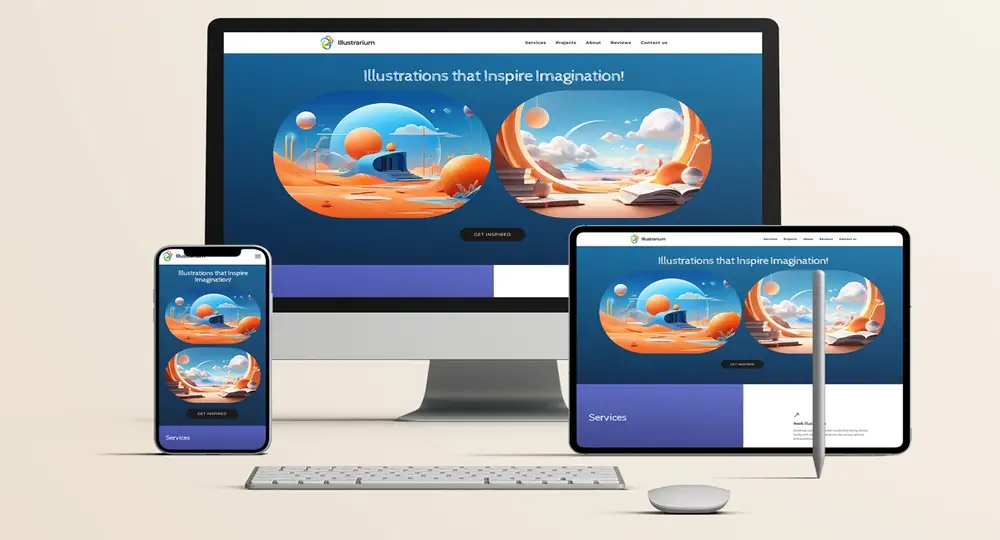
How responsive design boosts SEO and conversions
Google's mobile-first indexing means the search engine primarily evaluates your site's mobile version when determining rankings. A non-responsive site gets penalized in search results, regardless of desktop quality. The search algorithm looks specifically at mobile usability, page speed on mobile networks, and how content displays on smaller screens.
Page speed directly impacts both SEO and user experience. Mobile visitors abandon sites that load slowly, often within three seconds. Responsive design done well optimizes images and code for faster mobile performance. You can build mobile site online with Closer knowing the platform compresses assets and minimizes unnecessary code automatically.
Lower bounce rates signal quality to search engines. When visitors stay and explore your site on mobile, Google interprets this as relevance and value. Responsive layouts that make content easily readable and navigation intuitive keep people engaged longer. Each additional page view and extra minute spent on site improves your search rankings.
Conversion rates improve when mobile users can complete desired actions easily. Forms become simpler to fill with appropriately sized input fields. Buttons are sized appropriately for touch interaction. Checkout processes flow smoothly without frustrating zoom-and-scroll gymnastics. These micro-improvements compound into measurably better results.
The no-code responsive builder approach means you can implement these best practices without understanding the technical details. Closer handles mobile usability automatically while giving you control over the elements that matter for your business goals.
SEO integration goes beyond mobile optimization. Closer lets you customize meta titles and descriptions, adjust URL structures, and implement tracking codes through simple forms. The system handles technical SEO elements like structured data, XML sitemaps, and mobile usability automatically.
Try Closer: launch your responsive website in minutes
Getting started on Closer takes minutes rather than weeks. Here's the typical process:
Describe your business and goals in a few sentences. What do you do? Who do you serve? What actions do you want visitors to take? The AI processes this information to understand your needs, industry, and target audience ― and creates the whole website with its design, content, structure, logo, images, and basic SEO settings.
Review the generated site across device sizes. Switch between desktop, tablet, and mobile previews to see how everything appears. The AI has already optimized each element for responsive display.
Regenerate elements you want to improve, if any. Each element can be refined independently without affecting other components.
Edit directly for precise control. The visual editor lets you adjust fonts, swap blocks, and customize design without technical skills. Click any element to change it. Drag components to reposition them. Changes maintain responsive functionality automatically ― you can't accidentally break mobile optimization.
Add sections from the block library. Browse over 1,000 pre-designed components covering testimonials, pricing tables, team profiles, contact forms, galleries, and more. Each block adapts to different screen sizes automatically.
Check SEO settings and configure them if needed. Implement analytics tracking to monitor visitor behavior.
Publish instantly or connect a custom domain. Your responsive site goes live immediately, accessible and optimized for visitors on any device. No waiting for deployment. No technical configuration. Just click publish and your site becomes available on the internet.
The entire process typically takes minutes, not weeks. No credit card required to start. No hidden fees. No technical barriers. The online website builder approach eliminates traditional friction points in website creation.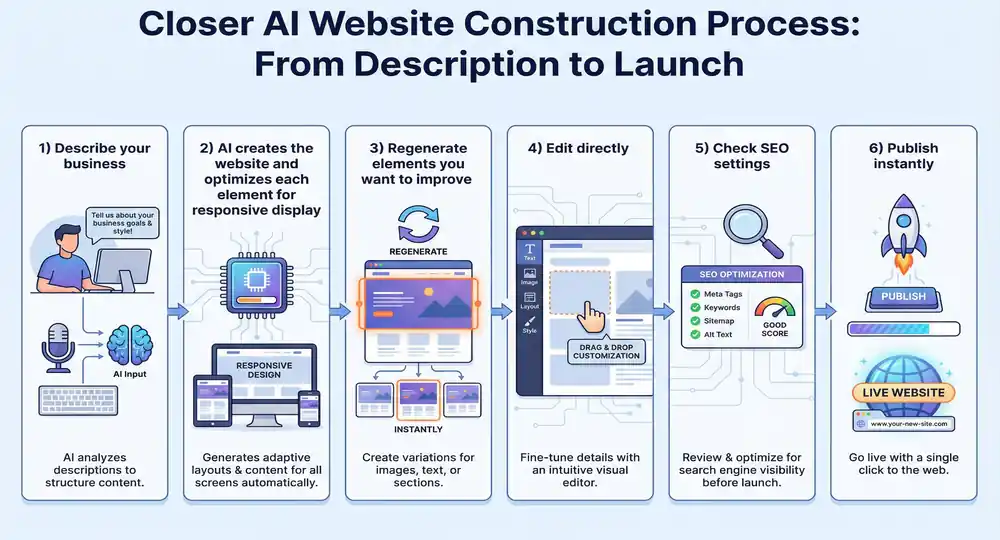
Launch your mobile-optimized site today
Visitors judge your business within seconds of landing on your site. A layout that breaks on mobile creates doubt about your professionalism. Slow loading times send people elsewhere. Navigation that frustrates instead of guides costs conversions.
Closer eliminates these problems by building responsive functionality into every site from the ground up. The AI handles technical complexity. The editor provides creative control. The result is a mobile-friendly website that presents your business professionally across every device. Your mobile-optimized online presence starts now.
FAQ: mobile optimization, templates, and page speed
How does Closer ensure sites load quickly on mobile?
The platform optimizes images automatically during the generation process, compressing them without visible quality loss. Clean code structure minimizes file sizes. Lazy loading delays non-essential media until users scroll to it. Sites built with Closer typically score well on Google's PageSpeed Insights without manual optimization efforts.
Can I start with a template and customize it?
Closer generates unique designs based on your specific input rather than starting from fixed templates. This approach creates originality while ensuring responsive functionality. The block library provides pre-designed elements you can mix and match, giving you template-like convenience with custom results.
What if I want to create a completely custom design?
The canvas mode provides full design freedom. Position elements anywhere on the page. Adjust responsive breakpoints manually if you want precise control over how layouts shift at different screen widths. Create layouts from scratch while the system maintains mobile optimization in the background.