
How to turn brand presentation logic into conversational funnels
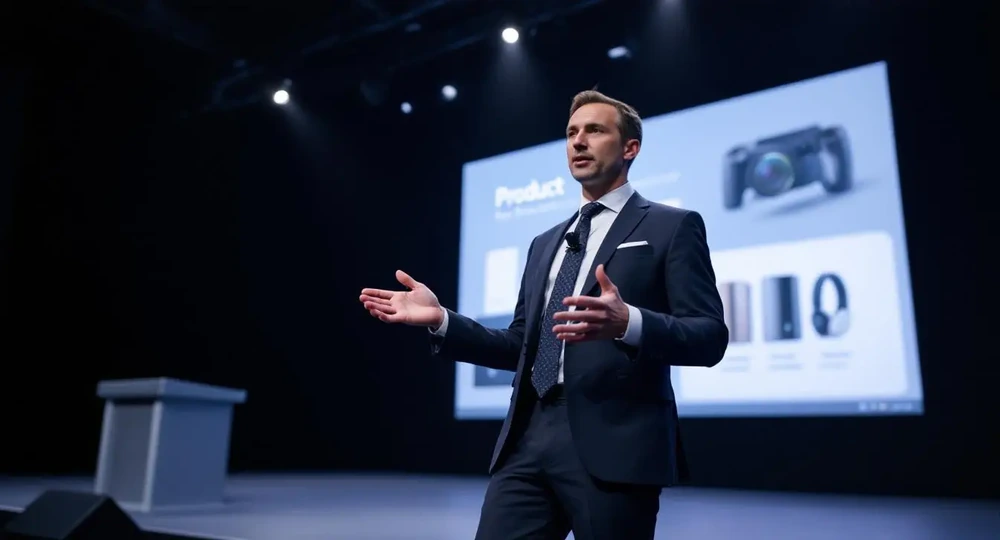
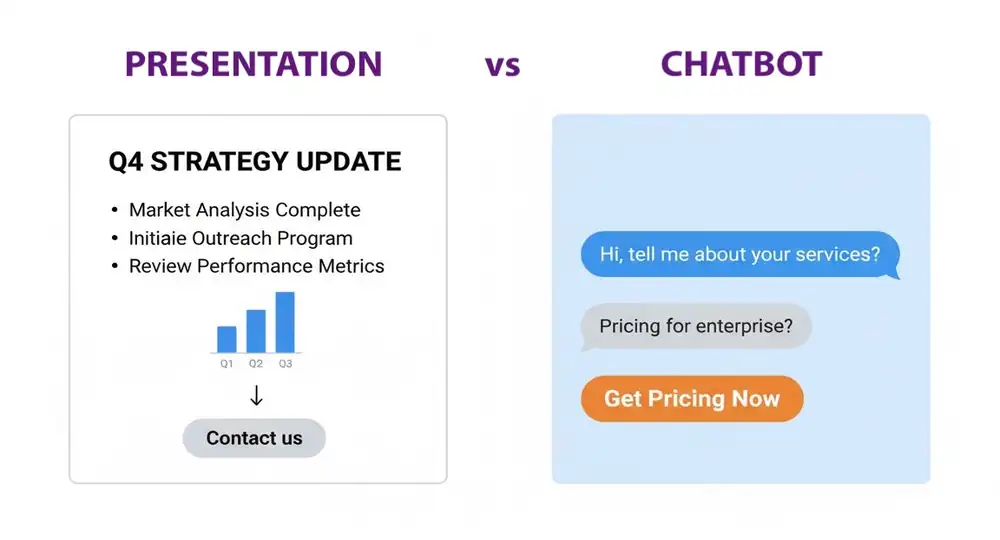
A brand presentation is built for a room. There's a speaker to read the silence, adjust the pace, answer the question that came up on slide three. Strip away that human layer and post the same content on a website, and something breaks. The logic is still there. The story is still there. But nobody is steering.
Jump to a Section
Why presentations don't convert
This is the core problem with static brand content online. A pitch deck or an "About Us" page delivers information in one direction. It can't ask what the visitor actually needs. It can't surface the right case study at the right moment. It can't nudge someone toward a demo when they've been reading the pricing section for two minutes.
The result is predictable: strong brand positioning that doesn't translate into leads. Visitors read, nod mentally, and leave without taking action. Not because the message is wrong, but because the format isn't built for conversion. There's also a subtler issue: a static presentation treats every visitor the same. The founder who knows exactly what they want and the procurement manager running a vendor comparison get the same page, the same order of information, the same CTA. For one of them, it works. For the other, it doesn't — and there's no way to know which is which until you look at the numbers.
The logical response is to build the website so it can do what the presenter does: ask, listen, and adjust.
What are conversational funnels
A conversational sales funnel is a structured interaction flow, usually delivered through a chatbot or embedded widget on a website, that guides visitors toward a specific action by asking questions and responding to their answers. Instead of presenting everything at once, it filters, qualifies, and directs.
The distinction from a regular chatbot is worth making clearly. A generic chatbot answers questions. A proper chatbot funnel design moves visitors through a sequence: awareness → interest → qualification → call to action. Each step depends on what the previous one revealed.
Conversational funnel frameworks typically follow a pattern:
- a short, context-relevant opening that doesn't feel like a pop-up ad;
- one or two qualifying questions that segment the visitor by need or role;
- a tailored response — a specific offer, a relevant page, a booking link;
- a clear and low-friction CTA.
The format works because it mirrors how decisions are actually made. A visitor landing on a services page isn't ready to buy. They're trying to figure out if this is the right solution for their specific situation. A well-designed funnel meets them at that stage rather than immediately pushing a "Buy now" button.
One thing worth noting: the conversational format doesn't replace the rest of the site. It layers on top of it. The page still needs clear copy, a coherent structure, and credibility signals. The funnel's job is to activate visitors who would otherwise read and leave — not to compensate for a weak underlying offer.
From presentation to flow
The translation from brand presentation to chatbot conversion flow isn't about rewriting content. It's about restructuring it.
Most brand presentations follow a recognizable arc: here's the problem we solve, here's how we solve it, here's proof it works, here's what to do next. That arc already contains the bones of a funnel. The job is to break it into decision points rather than slides.
Take the opening hook from a presentation — the statement of the problem your product addresses. Mapped into a conversational UI with presentation logic, that hook becomes the first message the chatbot sends: a short, precise question that confirms the visitor is facing that problem. Something like "Are you trying to generate leads from your website, or convert the ones already coming in?" That single question segments the audience and determines which branch of the conversation they enter.
The product explanation becomes a branching response. The case studies become conditional content — shown only when the visitor's answers indicate they'd be relevant. The pricing section becomes a qualification gate, surfaced only after intent is established.
There's a structural principle underneath all of this: information should appear when it's needed, not before. In a presentation, you control the sequence by controlling the room. On a website, the funnel does that work. A visitor who hasn't yet acknowledged they have a problem shouldn't see your solution's feature list. A visitor who's already comparing vendors shouldn't be shown introductory content they've long moved past.
What this process requires is an honest audit of your presentation: which parts are there because they're genuinely persuasive, and which are there out of habit? Conversational formats have no tolerance for filler. Every message needs to earn its place by either informing the visitor or moving them forward.
Key funnel elements
A conversational funnel built on UX principles tends to share a few structural characteristics regardless of industry or offer.
The four-stage flow
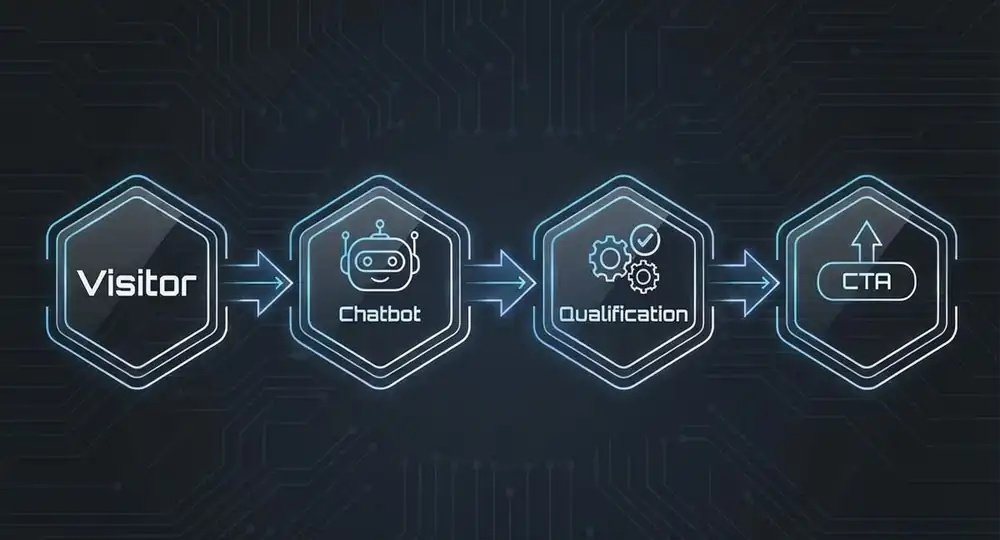
Every conversational funnel moves through the same sequence: Visitor → Chatbot → Qualification → CTA.
A visitor lands on the page and encounters an entry message — a short, specific question that sets the tone and invites a response. The chatbot exchange opens: one or two qualifying questions establish context — who this visitor is, what they're trying to solve, how far along they are in their decision. The qualification stage sorts visitors into paths based on their answers and delivers a tailored response — a relevant offer, a case study, a pricing option. The sequence closes with a CTA that feels earned rather than imposed, because by that point the visitor has already indicated what they need.
What separates a funnel that converts from one that doesn't is usually how well each of these stages is executed — not whether they're all present.
What the structure looks like in practice
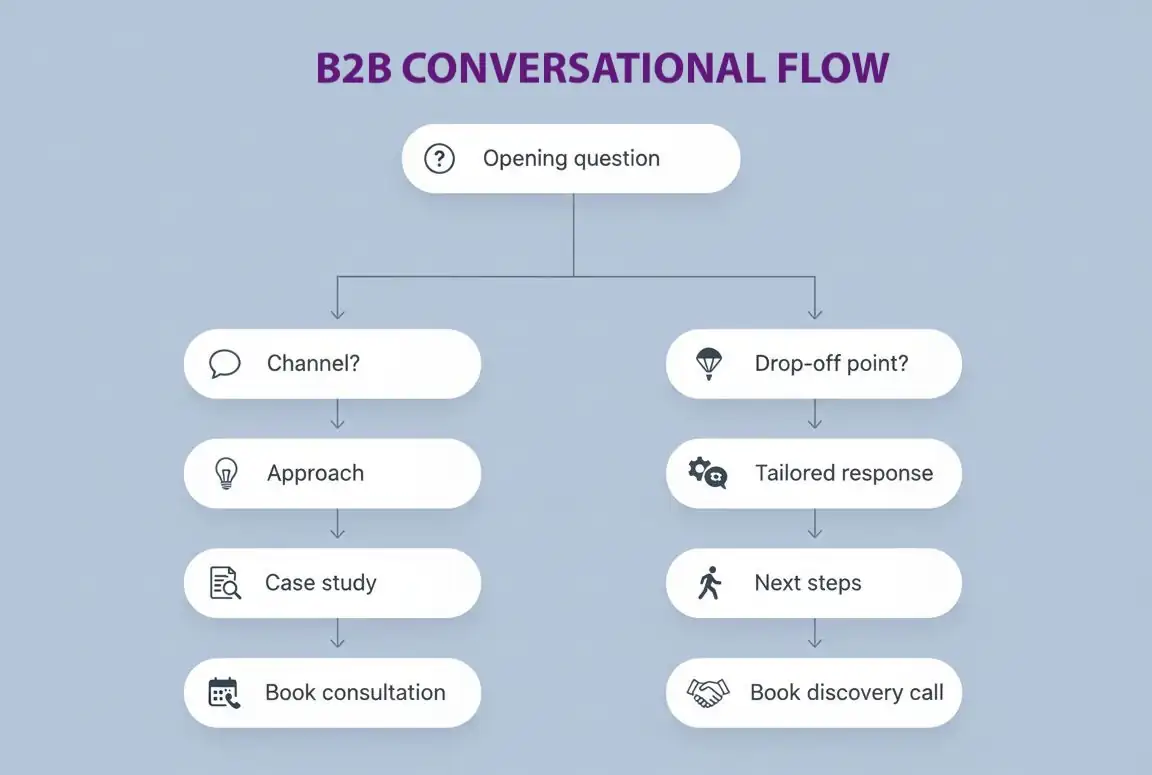
A simple conversational flow for a B2B service business might look like this:
- opening: "Are you looking to generate new leads, or convert more of the traffic you already have?"
- branch A — lead generation: "What's your main channel right now?" → free-text or options → "Here's how we've approached this for similar businesses." → link to a relevant case study → consultation booking CTA.
- branch B — conversion: "Where in the process are visitors dropping off?" → three options → tailored response addressing that specific gap → "Let's look at your current setup together." → discovery call booking.
Every branch should end with a concrete next step. A branch that concludes with a content link and no follow-up action is a dead end — it informs without converting. Keep each path to three or four exchanges at most. Beyond that, engagement drops regardless of how relevant the content is.
The example above shows the skeleton. What determines whether that skeleton holds up under real traffic is the quality of each individual stage — how the entry question is framed, how branching logic is built, how friction is calibrated across the exchange. These are the variables worth getting right.
Segmentation at entry
The first interaction should do one thing: identify which type of visitor this is. Role, problem, stage in the decision process — any of these can work, depending on what matters most for your qualification logic. Skipping this step means treating a first-time visitor the same as someone who's been researching for a week.
Response branching
The funnel needs to behave differently based on what it learns. A B2B visitor asking about team plans should get a different conversation than a solo founder exploring entry-level options. A chatbot-driven funnel for websites that lacks branching logic ends up feeling like a form with a friendly face — which isn't enough.
Friction calibration
Each step should ask for slightly more commitment than the last. Opening with "What's your budget?" is too aggressive. Opening with "What's your main goal this quarter?" gives the visitor room to engage without feeling interrogated. By the time a booking link appears, the conversation should have established enough context that the CTA feels like a natural next step.
Relevance signals
Short messages. Specific language. Tone that matches the brand voice established elsewhere on the site. A funnel that sounds generic undercuts the credibility the rest of the site worked to build.
Exit points
Not every visitor will complete the funnel, and that's fine. A well-designed flow captures partial signals too — if someone drops off after the second question, that tells you something about where the message or the offer needs work. Build in at least one soft off-ramp: a link to a relevant page, a "learn more" option, something that keeps the visitor engaged even if they're not ready to convert.
Website use cases
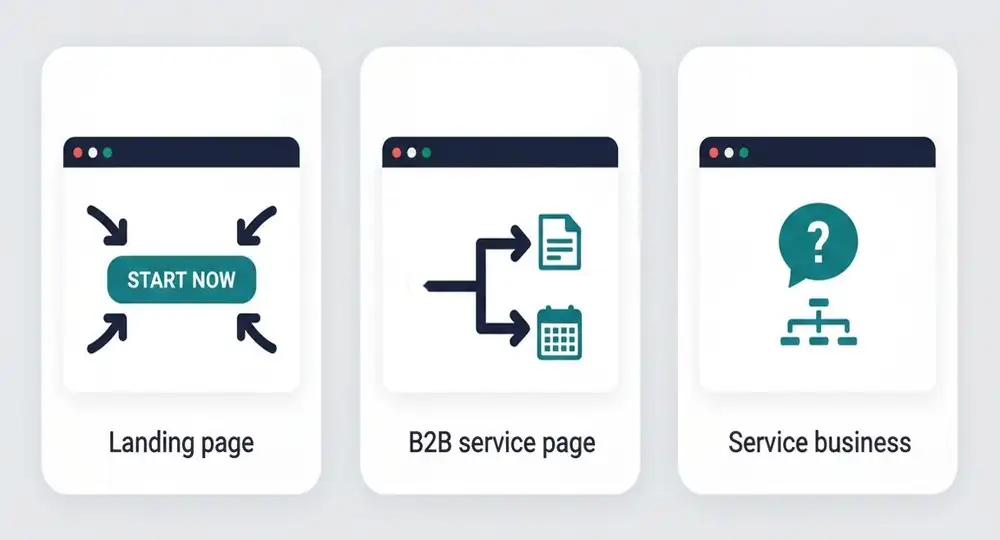
Different pages have different jobs, and the funnel structure should reflect that.
Landing pages
A campaign landing page works with a visitor who's already been pre-qualified by the ad or email that brought them here. The funnel's role is narrow: confirm intent and route to action. Conversational lead generation at this stage works best when it's fast. Two or three exchanges, then a CTA — a form, a booking link, a purchase. Anything beyond that adds steps to a decision the visitor was already close to making.
What to keep in mind:
- match the funnel's opening line to the specific ad or campaign that drove the click — continuity between the ad and the page reduces drop-off;
- keep branching minimal — one or two paths at most;
- make the CTA the only logical next step, not one of several options;
- avoid asking for information you don't need at this stage.
B2B service pages
B2B sales cycles are longer, and the first visit rarely ends in a conversion. A chatbot conversion flow here should prioritize qualification over closing. The goal is to establish whether this is a realistic prospect and route them to the right next step — a relevant case study, a consultation booking, or a direct sales conversation.
Because intent develops slowly in B2B contexts, it's worth building in a way to capture contact details before the full qualification sequence is complete. A visitor who exits mid-flow isn't necessarily uninterested. Website conversational funnels for B2B should reflect that reality: more branches, softer pacing, and a follow-up path for visitors who aren't ready yet.
Service businesses
Consultants, agencies, and studios face a specific challenge: visitors often arrive with a felt problem but no precise language for it. They know something isn't working; they're less sure what the solution looks like. A brand presentation chatbot flow in this context functions as a diagnostic. The opening question — something like "What's the situation you're trying to resolve?" — invites the visitor to describe their problem in their own terms. The funnel then names it clearly and connects it to a specific offer.
This sequence does something a static page rarely achieves: it makes the visitor feel understood before they've spoken to anyone on your team. That's a meaningful trust signal, and it tends to improve both qualification quality and conversion rate on the consultation booking step.
How to build a website with conversational funnels on Closer
Step 1. Build your site
Start with Closer. From a short brief about your business, the AI generates a complete site: original design, copy, logo, images, and basic SEO settings — structured around your offer and your audience. Every element can be regenerated as many times as needed, or edited directly in the intuitive editor without any technical input.
This matters for funnel work specifically: the positioning language the AI produces — how it frames your offer, who it's written for, what problem it addresses — becomes the raw material for your conversational flow. You're not starting from a blank page when writing funnel copy. The foundation is already there.
Step 2. Map your funnel logic before building it
Before configuring any chatbot tool and starting your chatbot funnel design, work out the logic. Identify three things:
- the entry question that segments your visitors,
- the branches that follow from each answer,
- the CTA each branch leads to.
A simple presentation logic for conversational UI for a B2B service business might look like this:
- opening: "Are you looking to generate new leads, or convert more of the traffic you already have?"
- branch A — lead generation: "What's your main channel right now?" → free-text or options → "Here's how we've approached this for similar businesses." → link to a relevant case study → consultation booking CTA.
- branch B — conversion: "Where in the process are visitors dropping off?" → three options → tailored response addressing that specific gap → "Let's look at your current setup together." → discovery call booking.
Every branch should end with a concrete next step. A branch that concludes with a content link and no follow-up action is a dead end — it informs without converting. Keep each path to three or four exchanges at most. Beyond that, engagement drops regardless of how relevant the content is.
Step 3. Write funnel copy that matches your site voice
The conversational funnel copy needs to sound like the rest of the site — same vocabulary, same register, same level of formality. Inconsistency here is more noticeable than most teams expect.
Closer's website editor makes this straightforward: you're working within the same environment where the site copy lives, so cross-referencing tone and language is immediate. If a section of the site isn't performing, regenerate the copy and adjust the funnel messaging to match.
Step 4. Embed the funnel and connect your CTA destinations
Once the chatbot-driven funnel for your website is configured, open the Closer dashboard, navigate to the Analytics section and paste the chat embed code into the "Custom code" field. The flow goes live immediately across all pages.
Before launch, check two things: 1) every branch reaches a functional CTA destination — a live booking link, a form, a contact page, 2) the mobile experience runs cleanly. A conversational sales funnel that works on desktop but breaks on a phone loses a significant share of the visitors most likely to convert, since many booking and inquiry decisions happen outside the office.
Summary
Conversational funnels work when they're built from real positioning, not retrofitted onto a generic chatbot template. The logic that makes a brand presentation persuasive — the problem framing, the qualification, the tailored response, the clear CTA — translates directly into funnel structure. The translation requires cutting what doesn't earn its place and turning passive content into decision points.
This approach fits service businesses, B2B companies, and anyone running campaigns that send qualified traffic to a landing page. It's less relevant for purely transactional e-commerce, where the purchase decision is driven by product and price rather than a guided conversation.
What you can do today: audit one page on your current site and map the implicit funnel it's already trying to run. Is the entry message segmenting visitors? Is there a clear qualification step before the CTA? Is the funnel copy consistent with the brand voice on the rest of the page? If the answer to any of these is no, that's where to start.
If you're building a new site or rebuilding an existing one, Closer generates the foundation — structure, copy, design — fast enough to be live before the funnel logic is fully refined. That means you're iterating on real data from the beginning, not optimizing in a vacuum.


