The Easiest Way to Build a Website in 2025: AI vs Traditional Web Design
In 2025, the question isn't whether your business needs a website. The question is how to launch one that looks professional, converts visitors, and doesn't drain your budget or timeline.
For years, the answer meant hiring a designer, waiting weeks for revisions, and spending thousands of dollars. Now, AI-powered website builders like Closer offer a different path — one that delivers results in minutes, not months.
Let's compare AI-driven solutions against traditional methods and see which approach actually serves small businesses, freelancers, and entrepreneurs better.
Jump to a Section
- AI vs traditional website design: what's the real difference?
- The easiest way to build a website in 2025
- How Closer's AI builder works
- Closer vs traditional design
- Who should use an AI website builder?
- Real example: launch a website in one evening
- Why Closer is the best tool for beginners
- Try it now: create your site without code
- FAQ: AI websites, customization, support

AI vs traditional website design: what's the real difference?
Traditional web design follows a linear process. You brief a designer or agency, approve wireframes, review mockups, wait for development, then launch. Each stage requires back-and-forth communication, budget negotiations, and time.
AI website builders flip that model. Instead of hiring specialists, you build a site without a developer. You just answer three questions about your business. The AI generates design, content, structure, logo, images, and basic SEO settings — all in one go.
Here's what separates the two approaches:
- Traditional design relies on human labor at every step, from copywriting to coding.
- AI design automates content creation, layout decisions, and technical setup.
- Traditional projects stretch across weeks; AI delivers in seconds.
The shift isn't about replacing creativity. AI handles repetitive tasks — writing product descriptions, choosing color schemes and font pairs, optimizing for mobile — so you can focus on strategy and growth.
The easiest way to build a website in 2025
Speed matters when you're launching a product, testing an idea, or pivoting your offer. Traditional timelines don't align with that reality.
With Closer instant website builder, you skip the waiting. You describe your business in a few sentences. The AI generates a complete site — headlines, calls to action, layout, visuals. If something feels off, regenerate any element. Don't like the hero section? Click once, get a new version. Want different images? Regenerate those too.
This approach works for people without design skills or technical knowledge. Or enough time to apply them. You don't need to understand CSS, hosting, or responsive breakpoints. The platform handles mobile responsiveness automatically. SEO metadata gets configured during generation. You're not troubleshooting — you're launching.
The easiest website builder isn't the one with the most features. It's the one that removes obstacles between your idea and a live site.
How Closer's AI builder works
Creating a website with Closer takes less time than brewing coffee. Here's the exact process:
Step 1: Answer three questions
The AI asks for basic information:
- your website name,
- type of business (e.g., consulting, retail, services),
- what services or products your business offers.
If you already have a website, you can just input its URL instead of answering those questions ― and the AI will create a new design for your old site.
Step 2: AI generates your complete site
Click "Generate website" and wait about 60 seconds. The system creates a website without code, building:
- unique design tailored to your industry.
- persuasive copy for headlines, descriptions, and calls to action.
- logical page structure.
- logo and brand visuals.
- high-quality images relevant to your niche.
- foundational SEO setup.
Everything appears ready to publish.
Step 3: Review and regenerate
Don't love the color scheme? Regenerate design. Headlines feel generic? Regenerate content. You can refresh any element unlimited times until it matches your vision.
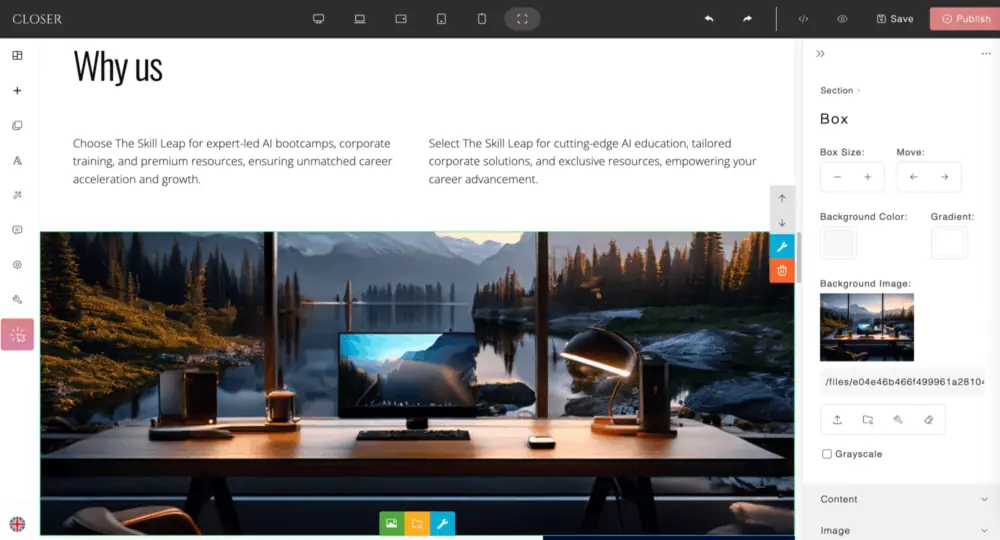
Step 4: Customize with the editor
Once the foundation looks right, refine details through the intuitive editor. Add your real images and prices, change text, swap images, adjust spacing, tweak colors — all without touching code. The library includes hundreds of pre-built blocks, sections, and design effects you can drop into your site.
For advanced users, the canvas mode unlocks full customization from scratch.
Step 5: Publish
When you're satisfied, hit publish. Your site goes live immediately. No server configuration, no deployment headaches, no waiting for a developer to push changes.
This workflow turns fast website creation into something anyone can manage, regardless of technical background.
Closer vs traditional design
|
Parameter |
Closer AI Builder |
Traditional Design |
|
Speed |
60-120 seconds to full site |
4–8 weeks from brief to launch |
|
Cost |
Free to start, no credit card |
$1,000–$30,000+ depending on scope |
|
Ease of use |
Answer 3 questions, click Generate |
Requires designer, developer, project manager |
|
SEO setup |
Built-in during generation |
Often billed separately or requires plugins |
|
Support |
Free platform updates included, regeneration anytime |
Ongoing fees for upgrade |
|
Editor |
Drag and drop website creator with blocks library |
Changes like adding a new block or layout, or webpage redesign require developer hours |
Traditional design gives you complete control over every pixel — if you have the budget and timeline. AI builders deliver professional results immediately, with enough flexibility for most business needs.
Who should use an AI website builder?
Automated website creation suits specific situations better than others. Here's who benefits most:
 Entrepreneurs launching new ventures
You need a web presence fast to validate your idea, capture leads, or start selling. Spending weeks on design delays revenue. Closer gets you live in minutes, so you can test messaging and gather feedback while competitors are still in planning stages.
 Freelancers building portfolios
Designers, writers, consultants, and coaches need clean sites that showcase work without technical distractions. AI handles layout and content structure, letting you focus on presenting your best projects.
 Small business owners pivoting online
Brick-and-mortar shops expanding into e-commerce or local services going digital need functional sites quickly. Traditional development timelines conflict with business urgency. AI bridges that gap.
 Marketing teams running campaigns
Landing pages for product launches, events, or seasonal promotions require speed. Creating each page from scratch with a designer drains the budget. AI lets you spin up targeted pages in minutes, iterate based on performance, and shut them down when the campaign ends.
 People allergic to code
If WordPress feels intimidating and hiring developers seems expensive, AI website builders remove those barriers entirely. You don't need to learn anything technical — just describe your business and publish.
Real example: launch a website in one evening
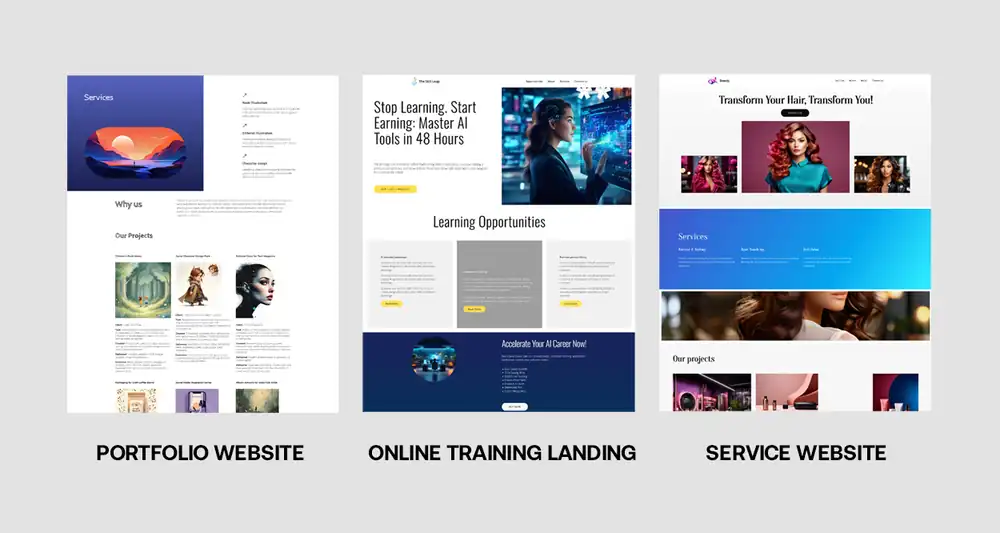
Maria runs a hair salon in Portland. She wanted an online booking system and a site showcasing her services, but her budget couldn't absorb $5,000 for custom design.
On a Tuesday evening after closing, she tried Closer. She entered her salon name, selected "beauty and wellness services," and described her offerings: haircuts, coloring, styling, and keratin treatments.
60 seconds later, she had a complete site. The AI generated:
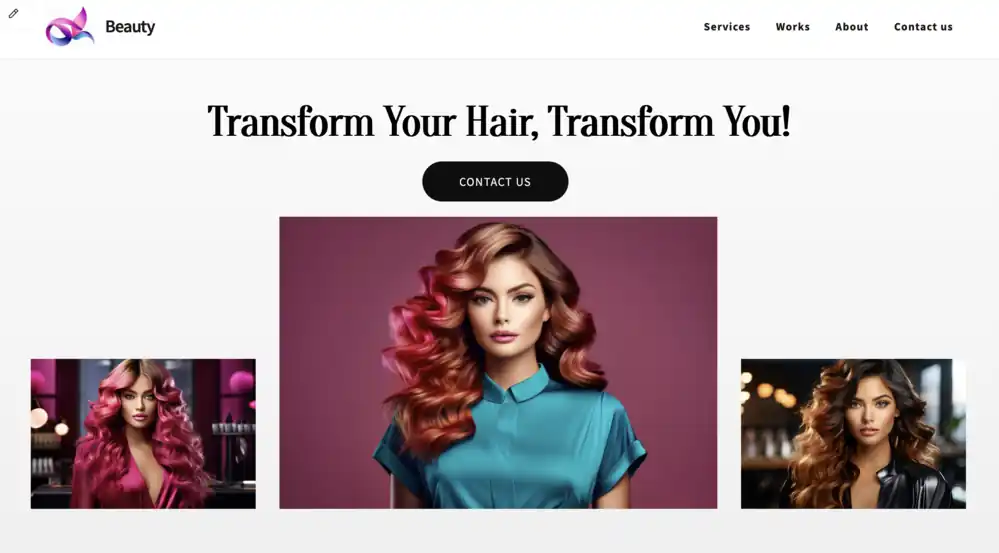
- a hero section with "Transform Your Look with Expert Hair Care" as the headline;
- service descriptions for each treatment, written in a warm, professional tone;
- a gallery with high-quality salon imagery;
- an about section explaining her 12 years of experience;
- contact information and a map to her location;
- a logo reflecting her salon's values.
She didn't love the initial color palette — too bright. She regenerated the design twice until the aesthetic matched her brand: soft neutrals with gold accents. She swapped generic photos for images of her actual workspace. Added prices and portfolio ― photos of customers before/after her treatment. Total time spent customizing: 20 minutes.
By 9 PM, her site was live. She shared the link on Instagram, and by Friday, three clients had booked appointments through the contact form. No designer was hired. No developer consulted. Just an AI website in 60 seconds and some minor tweaks.
Maria later added a full pricing page and a blog section about hair care tips — both through the block library, no coding required. She updates content herself whenever she introduces new services.
Why Closer is the best tool for beginners
Most website builders claim to be beginner-friendly, but they still assume you understand concepts like widgets, plugins, or hosting. Closer removes those assumptions.
AI does the hard work
You don't need to write headlines, choose fonts, or source images. You can, but don’t have to. The AI handles content creation, design decisions, and technical setup. Beginners often freeze when facing a blank canvas — Closer eliminates that paralysis by generating everything upfront.
Unlimited regeneration
Traditional design locks you into decisions early. Changing direction means reworking contracts and timelines. With Closer, you regenerate elements as many times as needed. Experiment without penalty. Try different styles, tones, or structures until something clicks. You can even totally redesign every day if you are brave enough to.
No technical debt
Beginners worry about breaking their site by editing the wrong setting. Closer's editor prevents that. You can't accidentally delete critical code or misconfigure servers. The interface exposes only what you need to control — text, images, layout — and protects the infrastructure.
Guided customization
The block library organizes components by function: headers, testimonials, pricing tables, galleries. You drag what you need into place. No guessing where elements belong or how to align them properly. The system maintains design consistency automatically.
Support for growth
As your skills and needs develop, the canvas mode unlocks deeper customization. Beginners start with AI-generated pages and simple edits. Over time, they explore advanced design tools without switching platforms or migrating data.
Try it now: create your site without code
Stop waiting for the "right time" to launch your website. The right time is when you have an idea worth sharing and an audience to reach.
Closer removes the traditional barriers — cost, complexity, and time. You don't need a designer, developer, or content writer. The AI generates everything. You refine what matters, skip what doesn't, and publish when ready.
Here's what happens next:
Visit Closer.ws. No credit card required, no trial period pressure. Answer three questions about your business. Watch the AI build your site in 60 seconds. Regenerate anything you want to change. Customize details with the drag-and-drop editor. Publish your site and start attracting customers.
You're not locked into anything. If your needs evolve, the platform scales with you. Add pages, integrate tools, refresh design — all without hiring external help or learning to code.
FAQ: AI websites, customization, support
Can I customize an AI-generated website, or am I stuck with what the system creates?
Closer generates a complete starting point, but customization is unlimited. You can regenerate any section, block, or element as many times as you want. The drag-and-drop editor lets you change text, images, colors, and layout without code. For advanced users, the canvas mode provides full design control from scratch. You're never locked into the initial output.
How does an AI website builder handle SEO compared to traditional website building?
Closer configures basic SEO during generation — metadata, headings, page structure, mobile optimization, and load speed. Traditional design often requires separate SEO specialists or plugins, adding cost and complexity. Both approaches can achieve strong search rankings, but AI builders streamline the technical foundation immediately, while traditional methods depend on how thoroughly the designer implements SEO best practices.
What if I need help after my site is live?
The platform includes ongoing support. You can regenerate content, access the block library for new sections, and update design anytime without developer assistance. You can get human technical support as well. As Closer evolves, extended paid plans will introduce additional features, but the core functionality remains accessible. You control updates and changes independently, avoiding the recurring costs typical of traditional web maintenance contracts.